 Kuonen.UI
WinForms-Layout
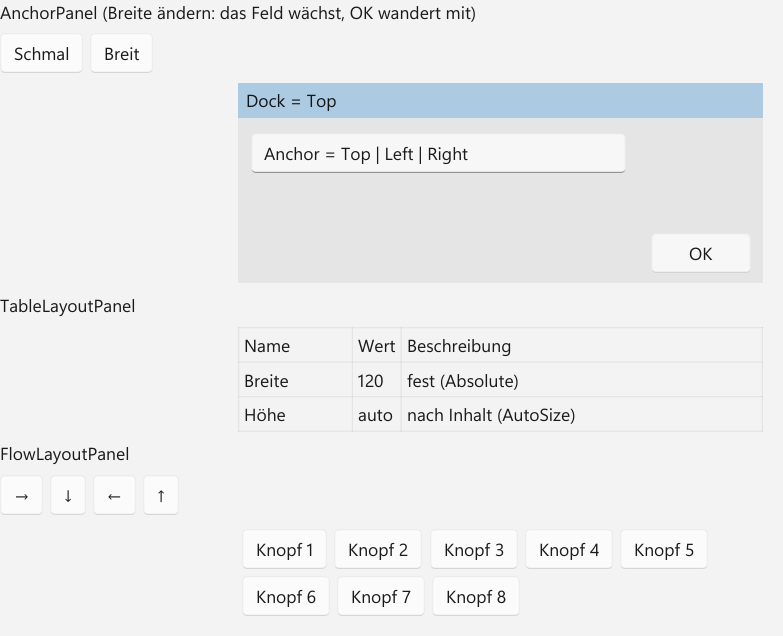
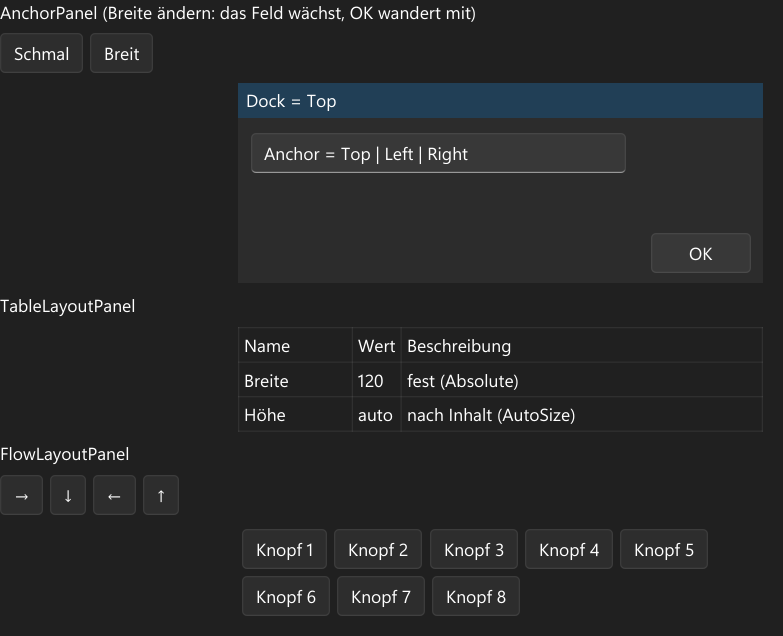
AnchorPanel mit Anchor und Dock, TableLayoutPanel mit Spalten- und Zeilenstilen, FlowLayoutPanel in vier Richtungen – wie WinForms, zum direkten Portieren.
KXAML
WinFormsLayoutSeite.kxaml
<StackPanel xmlns="https://ui.kuonen.org/kxaml"
            xmlns:x="https://ui.kuonen.org/kxaml/x"
            x:Class="Kuonen.UI.Galerie.Seiten.WinFormsLayoutVorfuehrung"
            Spacing="8">
  <!-- Gefüllt von WinFormsLayoutSeite.Fuelle, derselben Methode wie die C#-Fassung. -->
  <StackPanel x:Name="Flaeche" Spacing="8" />
</StackPanel>
WinFormsLayoutSeite.kxaml.cs
using Kuonen.UI;

namespace Kuonen.UI.Galerie.Seiten;

public sealed partial class WinFormsLayoutSeite
{
    protected override Func<UIElement>? KxamlFabrik => () => new WinFormsLayoutVorfuehrung();
}

/// <summary>KXAML-Fassung der Seite: das Gerüst steht in WinFormsLayoutSeite.kxaml, das Innere füllt WinFormsLayoutSeite.Fuelle.</summary>
public sealed partial class WinFormsLayoutVorfuehrung
{
    public WinFormsLayoutVorfuehrung()
    {
        InitializeComponent();
        WinFormsLayoutSeite.Fuelle(Flaeche);
    }
}
C#
WinFormsLayoutSeite.cs
using Kuonen.UI;
using Kuonen.UI.Controls;
using Kuonen.UI.Layout;
using Kuonen.UI.Media;

namespace Kuonen.UI.Galerie.Seiten;

/// <summary>Galerie-Seite: WinForms-Layout (Plan 6m).</summary>
public sealed partial class WinFormsLayoutSeite : GalerieSeite
{
    public override string Titel => "WinForms-Layout";

    public override string Beschreibung => "AnchorPanel mit Anchor und Dock, TableLayoutPanel mit Spalten- und Zeilenstilen, FlowLayoutPanel in vier Richtungen – wie WinForms, zum direkten Portieren.";

    public override string Stichworte => "AnchorPanel Anchor Dock TableLayoutPanel ColumnStyle RowStyle FlowLayoutPanel FlowDirection WinForms Portierung";

    public override string Datei => nameof(WinFormsLayoutSeite);

    public override UIElement Baue()
    {
        // Wie die KXAML-Fassung: eine Wurzel mit der Fläche darin.
        var flaeche = new StackPanel { Spacing = 8 };
        Fuelle(flaeche);
        return new StackPanel { Spacing = 8, Children = { flaeche } };
    }

    private static Button Knopf(string text, Action tun)
    {
        var k = new Button { Content = text };
        k.Click += (_, _) => tun();
        return k;
    }

    private static StackPanel Zeile(params UIElement[] kinder)
    {
        var z = new StackPanel { Orientation = Orientation.Horizontal, Spacing = 6 };
        foreach (var k in kinder) z.Children.Add(k);
        return z;
    }

    /// <summary>Inhalt der Seite (auch von der KXAML-Fassung benutzt).</summary>
    public static void Fuelle(StackPanel flaeche)
    {
        // AnchorPanel: oben eine angedockte Leiste, ein Feld wächst mit, ein Knopf bleibt rechts unten.
        var anker = new AnchorPanel { Width = 420, Height = 160, DesignWidth = 420, DesignHeight = 160, Background = new SolidColorBrush(Color.FromArgb(0x20, 0x80, 0x80, 0x80)) };
        var leiste = new Border { Height = 28, Background = new SolidColorBrush(Color.FromArgb(0x40, 0x00, 0x78, 0xD4)), Child = new TextBlock { Text = "Dock = Top", Margin = new Thickness(6, 4, 0, 0) } };
        AnchorPanel.SetDock(leiste, DockStyle.Top);
        var feld = new TextBox { Width = 300, Text = "Anchor = Top | Left | Right" };
        Canvas.SetLeft(feld, 10);
        Canvas.SetTop(feld, 40);
        AnchorPanel.SetAnchor(feld, AnchorStyles.Top | AnchorStyles.Left | AnchorStyles.Right);
        var ok = new Button { Content = "OK", Width = 80 };
        Canvas.SetLeft(ok, 330);
        Canvas.SetTop(ok, 120);
        AnchorPanel.SetAnchor(ok, AnchorStyles.Bottom | AnchorStyles.Right);
        anker.Children.Add(leiste);
        anker.Children.Add(feld);
        anker.Children.Add(ok);
        flaeche.Children.Add(new TextBlock { Text = "AnchorPanel (Breite ändern: das Feld wächst, OK wandert mit)" });
        flaeche.Children.Add(Zeile(Knopf("Schmal", () => anker.Width = 320), Knopf("Breit", () => anker.Width = 520)));
        flaeche.Children.Add(anker);

        // TableLayoutPanel: feste, automatische und anteilige Spalten mit Zelllinien.
        var tabelle = new TableLayoutPanel { ColumnCount = 3, CellBorderStyle = TableLayoutPanelCellBorderStyle.Single, Width = 420 };
        tabelle.ColumnStyles.Add(new ColumnStyle(SizeType.Absolute, 90));
        tabelle.ColumnStyles.Add(new ColumnStyle(SizeType.AutoSize));
        tabelle.ColumnStyles.Add(new ColumnStyle(SizeType.Percent, 100));
        foreach (var t in new[] { "Name", "Wert", "Beschreibung", "Breite", "120", "fest (Absolute)", "Höhe", "auto", "nach Inhalt (AutoSize)" })
            tabelle.Children.Add(new TextBlock { Text = t, Margin = new Thickness(4) });
        flaeche.Children.Add(new TextBlock { Text = "TableLayoutPanel" });
        flaeche.Children.Add(tabelle);

        // FlowLayoutPanel: Richtung umschaltbar.
        var fluss = new FlowLayoutPanel { Width = 420, Height = 90 };
        for (int i = 1; i <= 8; i++) fluss.Children.Add(new Button { Content = "Knopf " + i, Margin = new Thickness(3) });
        flaeche.Children.Add(new TextBlock { Text = "FlowLayoutPanel" });
        flaeche.Children.Add(Zeile(
            Knopf("→", () => fluss.Direction = FlowLayoutDirection.LeftToRight),
            Knopf("↓", () => fluss.Direction = FlowLayoutDirection.TopDown),
            Knopf("←", () => fluss.Direction = FlowLayoutDirection.RightToLeft),
            Knopf("↑", () => fluss.Direction = FlowLayoutDirection.BottomUp)));
        flaeche.Children.Add(fluss);
    }
}